From a hum to a lead sheet, step by step.
Five steps, no studio required. Here's the whole flow from opening the app to an exported chart.
- 01
Open and tune up
Launch MuseMemo and you land on the record screen. Tap Listen on the tuner to check your tuning, and set the metronome to the tempo and time signature you feel.
- 02
Record your idea
Tap record and play. Run the metronome while you record to lock the tempo, or capture it raw. Pause and resume as you work out the part.
- 03
Let MuseMemo listen
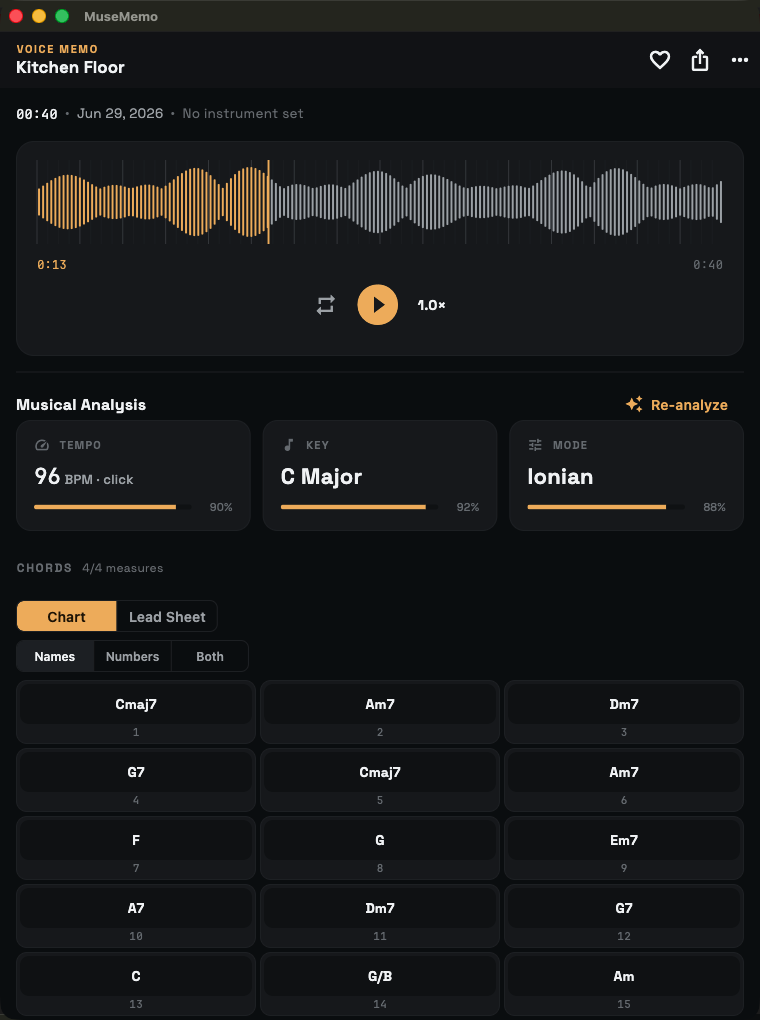
Tap stop. Analysis runs on-device and lays out the chord chart over a measure grid, with the detected key, mode, and tempo — plus any key changes.
- 04
Refine the chart
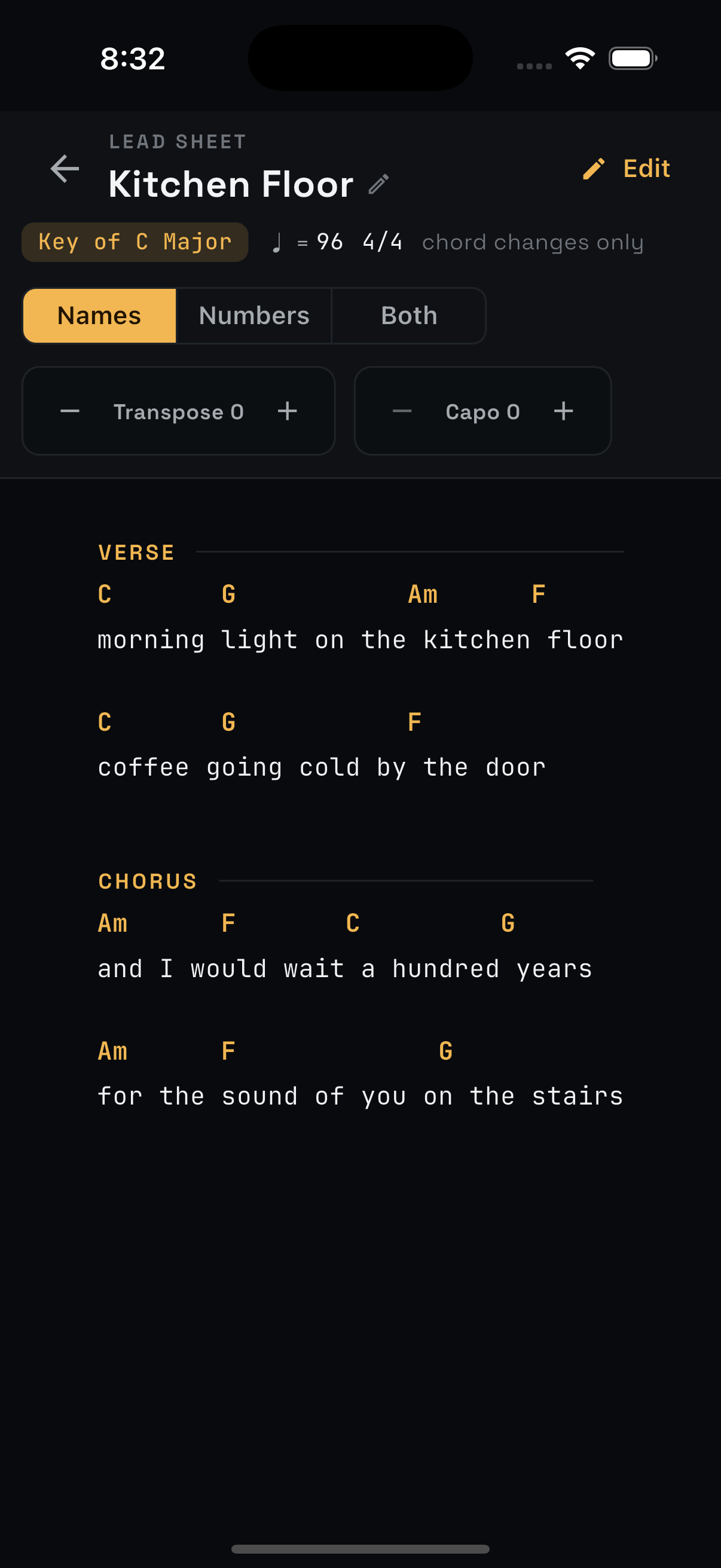
Open the lead sheet, rename or drag any chord, add your lyrics and section labels, and tap a chord to hear its exact span.
- 05
Export and finish
Send it onward — ChordPro for your binder, MIDI or tempo-stamped WAV for your DAW, or a shared chord sheet for a bandmate.
Try it on your next idea.
MuseMemo is a one-time $9.99 purchase — yours forever. No subscription, no ads.
- iPhone iOS 16+
- iPad iPadOS 16+
- Android incl. ChromeOS
- Mac macOS 10.15+